AR for Anatomy
Interactive 3D & AR for anatomy education and research
Give students a structure they can rotate in their hand instead of a flat diagram on a slide — straight from a browser or a QR code on a handout.
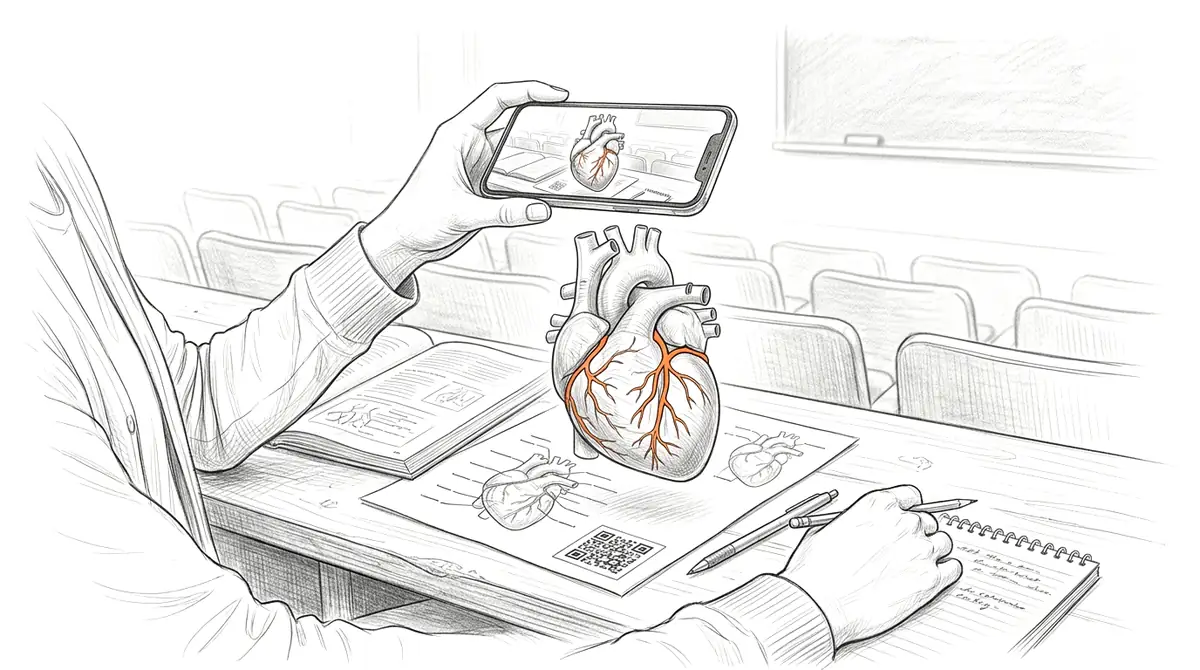
Anatomy is inherently three-dimensional, but most teaching material still flattens it into labelled illustrations and fixed-angle photographs. AcademicAR lets you upload a segmented CT/MRI mesh, a photogrammetry scan, or a textbook model and publish it as an interactive viewer with tap-to-place augmented reality — so a heart, skull, or brachial plexus can be examined from every angle and placed at true scale on a desk.
Every model gets a stable QR code and short link you can drop into a lecture slide, lab handout, dissection guide, or paper. No headset, no install, and the link keeps working even after you recolor or replace the model.
Why anatomy needs interactive 3D
Spatial relationships click faster.
Rotating a real mesh makes the course of a nerve or the layering of fascia obvious in a way a 2D cross-section never can.
Life-size AR builds intuition for scale.
Placing a femur or a fetal heart at actual size on the bench turns abstract measurements into something students can feel.
It scales beyond the cadaver lab.
Specimen access is limited and expensive; a shared 3D model is available to every student, every term, on the device in their pocket.
Viewer tools anatomy teams reach for
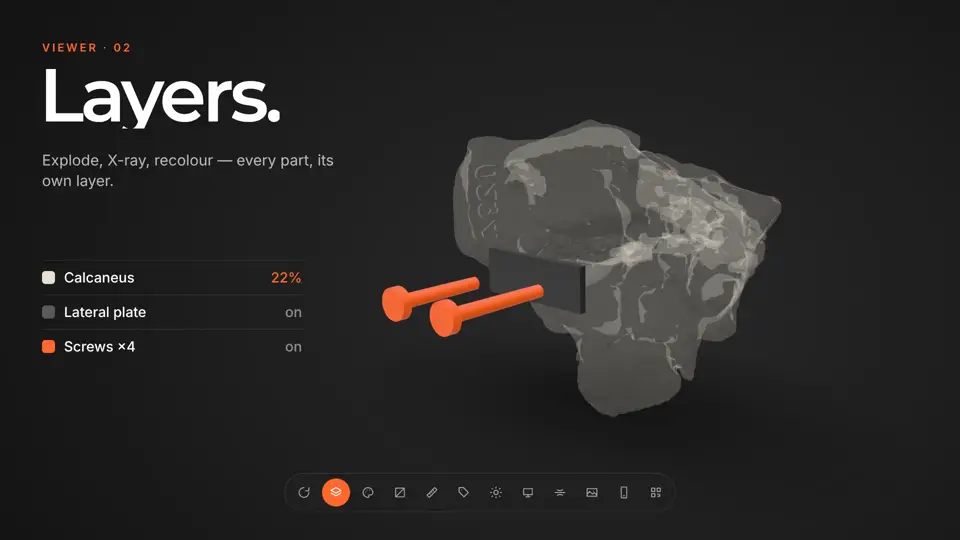
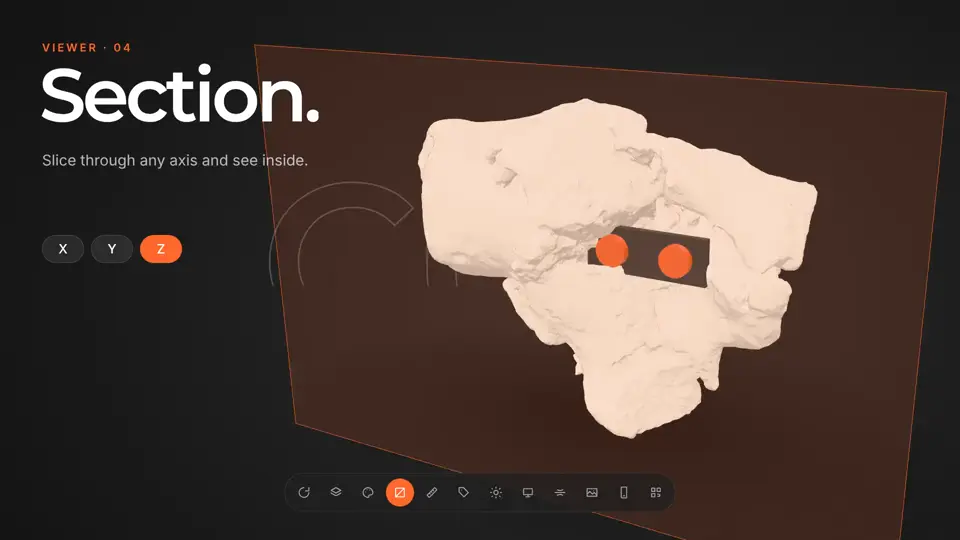
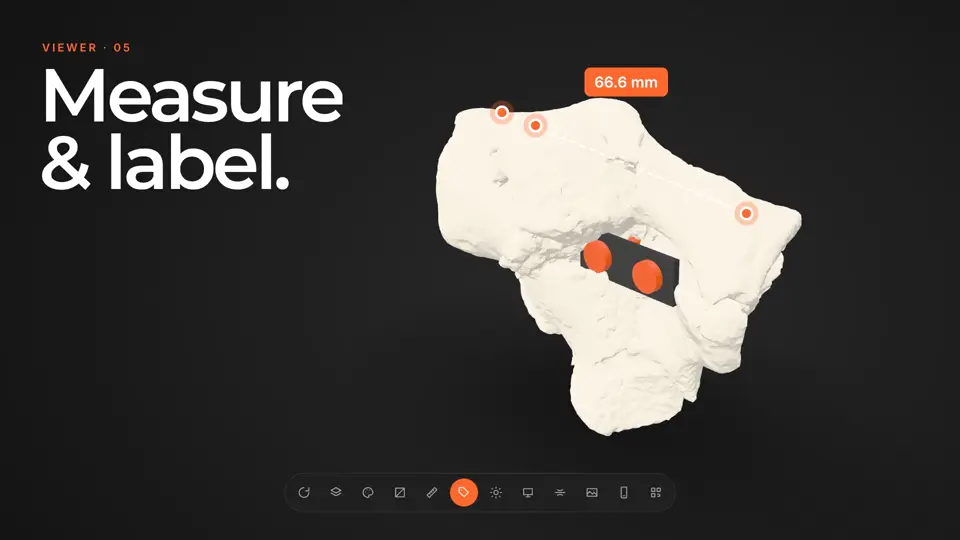
Every published model opens in the same viewer. These are the tools that matter most for anatomy work.
How it works
-
Step 1
Upload your model
Drop in a GLB, STL, OBJ, FBX or STEP file, or a CT/MR segmentation. It's converted and optimized for the web automatically.
-
Step 2
Get a viewer & QR code
You get an interactive 3D viewer with tap-to-place AR, a short link, and a stable QR code.
-
Step 3
Share anywhere
Place the QR code on a slide, poster, handout, label, or paper. Your audience needs no app and no headset.
Ways anatomy teams use it
Lecture & flipped classroom
Embed a QR code on the slide so students open the exact structure you're describing and explore it during or after class.
Dissection & lab guides
Pair each printed station with a model that shows the idealised anatomy next to the real specimen on the table.
Publications & theses
Attach an interactive figure to a morphology paper so reviewers and readers can inspect the geometry, not just a rendered screenshot.
Guides for anatomy
 How Augmented Reality Is Transforming Anatomy Education
Why AR and interactive 3D models are reshaping how anatomy is taught — spatial understanding, accessibility, and lower lab costs.
How Augmented Reality Is Transforming Anatomy Education
Why AR and interactive 3D models are reshaping how anatomy is taught — spatial understanding, accessibility, and lower lab costs.
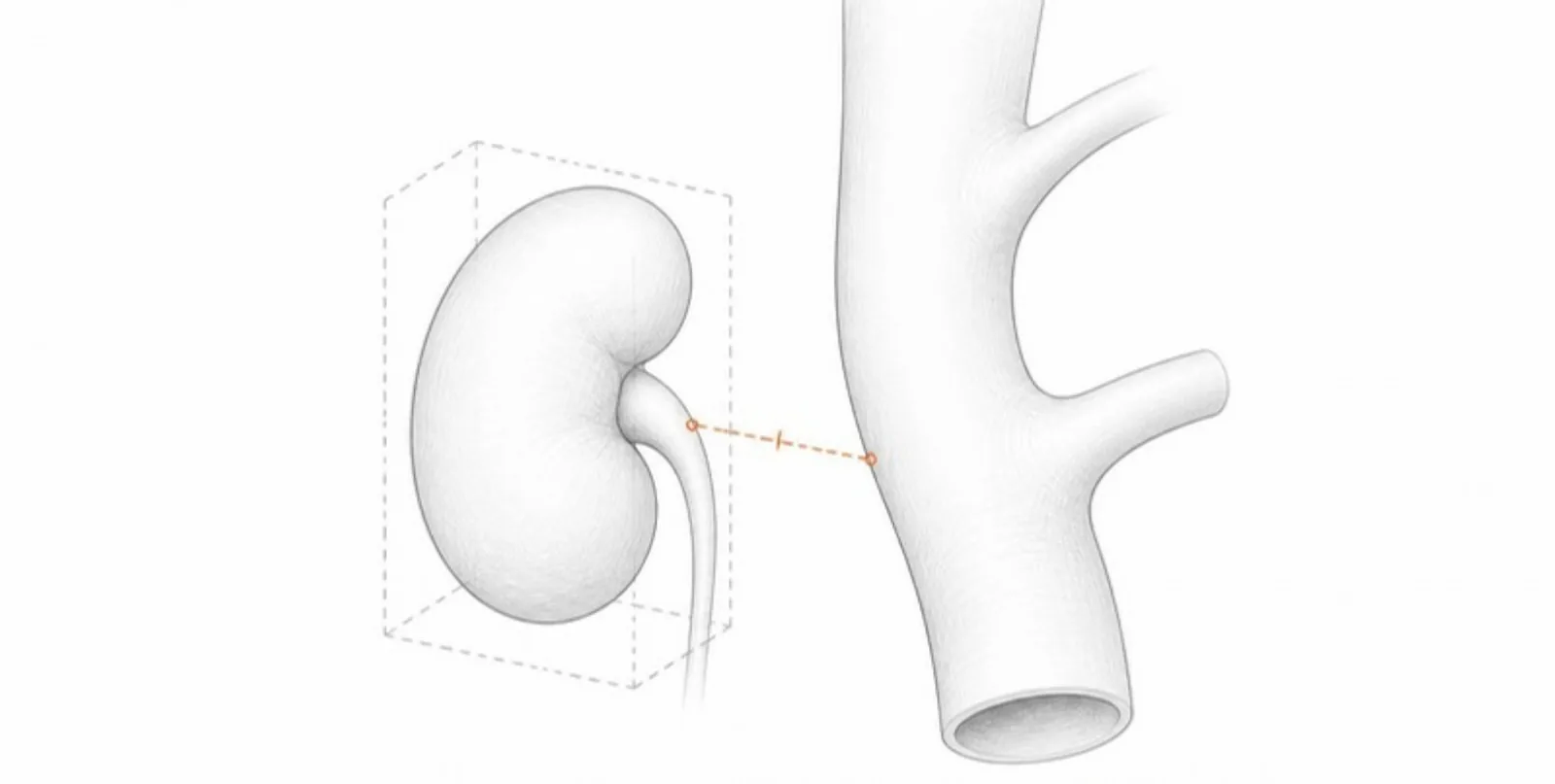 Measuring in 3D: Structure Dimensions and Distances Between Layers
Layered 3D models come with automatic measurements: oriented dimensions, maximum diameter, and the closest distance between neighbouring structures — useful in anatomy, morphology, and engineering.
Measuring in 3D: Structure Dimensions and Distances Between Layers
Layered 3D models come with automatic measurements: oriented dimensions, maximum diameter, and the closest distance between neighbouring structures — useful in anatomy, morphology, and engineering.
 Interactive 3D in Medical Education and Case Reports
How educators and clinician-researchers use layered 3D models, guided tours, and AR to teach anatomy, discuss complex cases, and enrich case reports — responsibly.
Interactive 3D in Medical Education and Case Reports
How educators and clinician-researchers use layered 3D models, guided tours, and AR to teach anatomy, discuss complex cases, and enrich case reports — responsibly.
Anatomy FAQ
Can I upload a segmentation from CT or MRI?
Yes. Export your segmentation as STL, OBJ, GLB, or FBX and AcademicAR converts and optimizes it for the web automatically. Large meshes are compressed without you doing anything.
Do students need an app to see it in AR?
No. The viewer runs in any modern mobile browser, and tap-to-place AR works on most recent iPhones, iPads, and Android phones with no install.
Is this suitable for patient-derived data?
Uploading requires confirming anonymization and rights. Remove identifiers and surface detail that could re-identify a patient before publishing, exactly as you would for any figure.
Can I label specific structures?
You can add annotation hotspots to point out named structures, and set a real-world scale so the AR placement matches life size.
Will the QR code still work if I update the model?
Yes. The QR code and link are stable — replacing, recoloring, or upgrading the model keeps the same code.
Explore other fields
All use cases
Publish your first anatomy model
Create a free account, upload a model, and share an interactive 3D & AR figure in minutes.