Publication-Ready Figures and Side-by-Side Comparisons from 3D Models
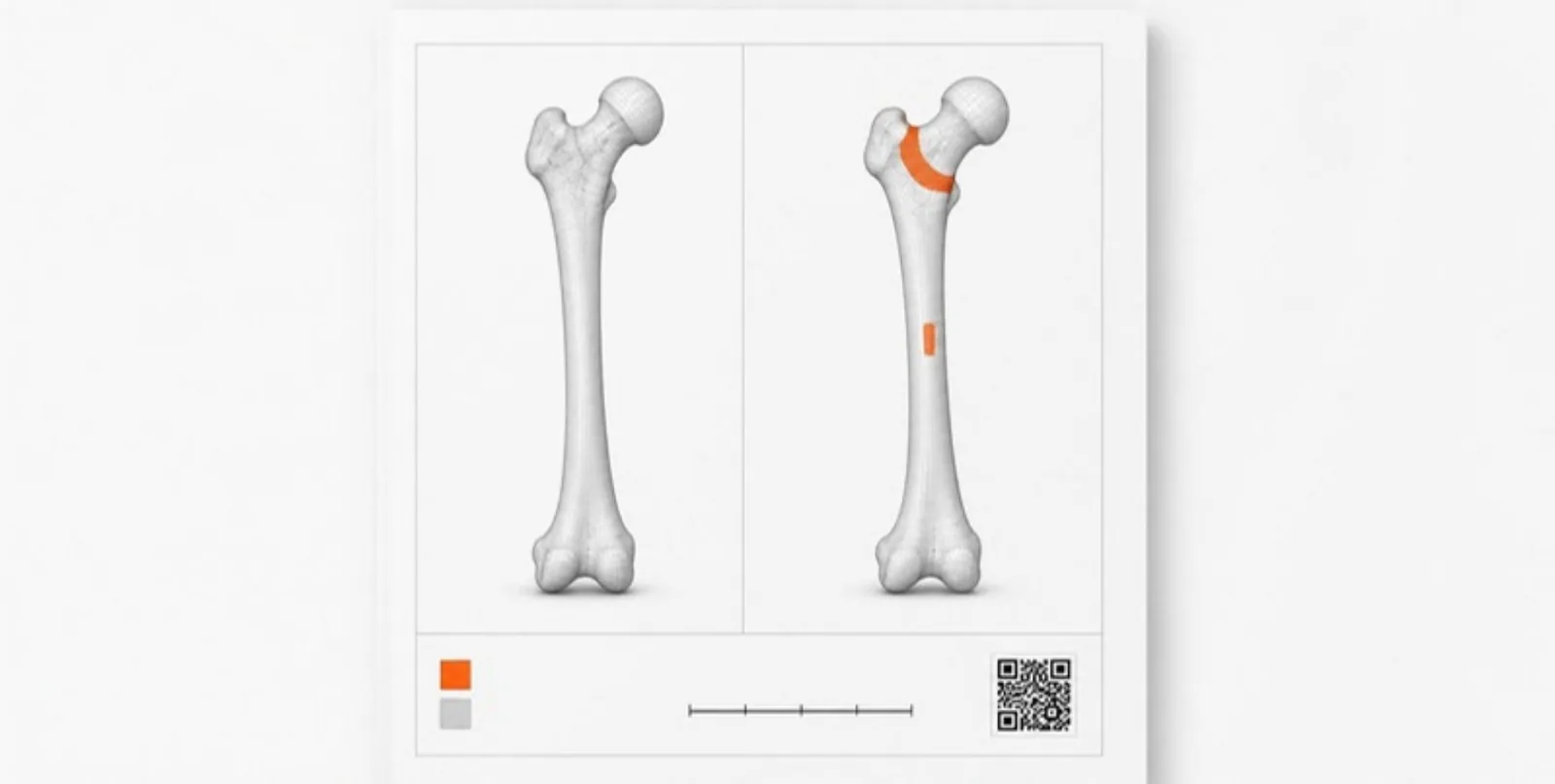
An interactive model is the best way to explore 3D results, but papers still need printed figures, and many findings are comparisons: before and after, healthy and diseased, design A and design B. Here’s how to get both from the same models.
Figures straight from the viewer
Figure export renders the current view at publication resolution — 2000, 3000, or 4000 pixels wide, well beyond a screenshot — and composes it into a ready-to-use figure with optional:
- a title,
- a layer legend listing each visible structure or part with its colour,
- a scale bar derived from the model’s real dimensions,
- a QR card that links to the interactive model,
- a white or transparent background, ready to drop into a journal layout.
Because the figure is built from the same view as the model, you can set up layers, colours, lighting, and a section cut first, then export — and export again later from a saved scene if a reviewer asks for a different angle.
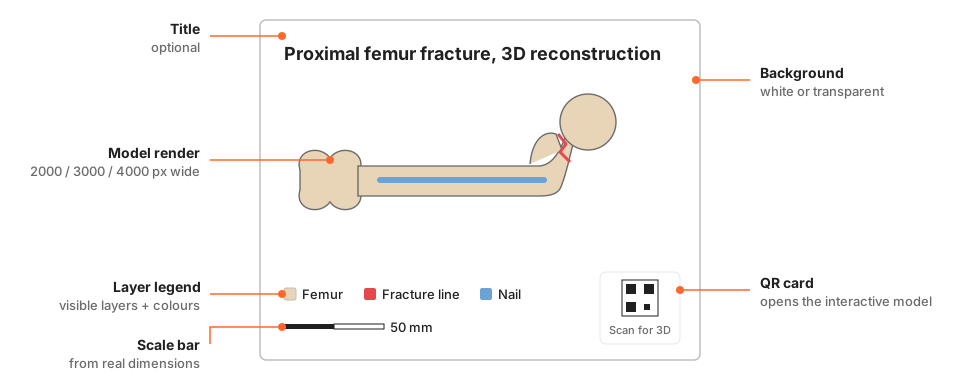 The parts of an exported figure.
Why the QR card matters
A printed figure is a single viewpoint. The QR card in the corner turns it into a door to the full model: readers of the PDF or the printed poster scan it and explore the geometry themselves. That is the most direct way to make a 3D result both citable as a figure and explorable as data.
Side-by-side comparisons
Comparisons pair two models in one view with their own public link. Typical uses:
- Medicine: pre- and post-operative anatomy, two segmentation methods on the same scan, a normal and a variant anatomy.
- Engineering: two design iterations, a part before and after topology optimization, a simulated and a scanned geometry.
- Architecture and heritage: a site before and after restoration, a design proposal next to the existing building.
- Biology and palaeontology: two specimens or species for morphological comparison.
You can pair any two models from projects you are allowed to edit, and share the comparison link or QR code in your paper or poster just like a single model.
Figure export and comparisons are included in the paid model plans — see pricing for details.
A workflow that holds up in peer review
- Upload the models and organise layers and colours.
- Save the key views as scenes.
- Export figures from those scenes with a legend, scale bar, and QR card.
- Link the interactive model or comparison from the caption.
- When a reviewer asks for another angle, open the scene, adjust, and export again — the figure and the model stay consistent.
Create a free account and export your first publication figure from a 3D model.