From STEP to AR: Sharing CAD Assemblies in Engineering Research
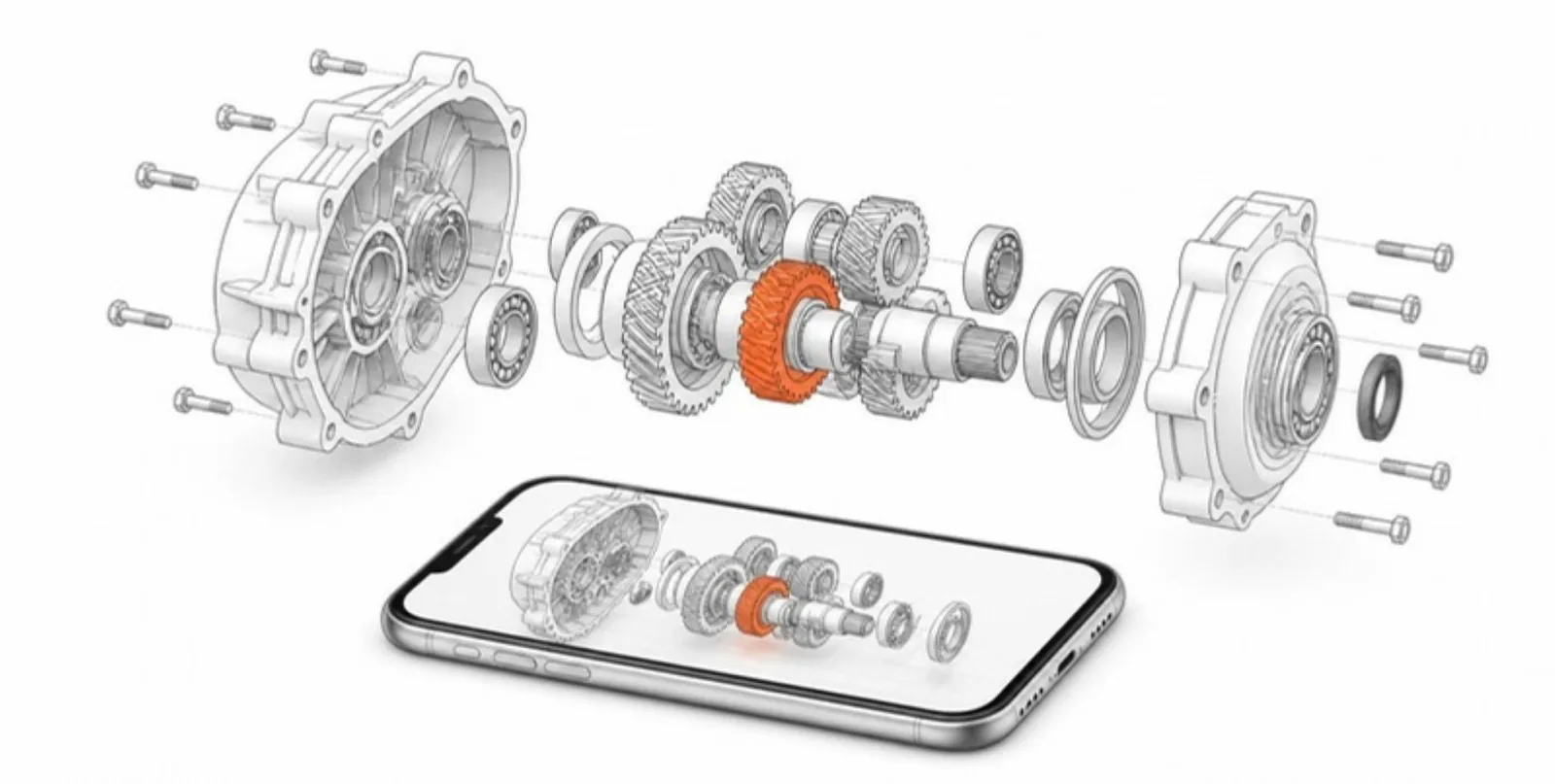
Engineering research is full of 3D objects — prototypes, test rigs, mechanisms, fixtures, sensors — that end up as an isometric screenshot in a paper. Reviewers can’t see the hidden parts, students can’t see how the mechanism fits together, and the CAD file itself stays locked behind a commercial licence. Here’s how to share the assembly instead.
Upload STEP directly
STEP (.step/.stp) is the neutral exchange format every CAD package can
export, from SolidWorks and Fusion to CATIA, Creo, Inventor, and FreeCAD.
AcademicAR converts STEP with OpenCascade:
- Each part becomes its own node, and STEP colours are carried over.
- Geometry is tessellated finely enough that holes and fillets stay smooth on small mechanical parts, with a cap on triangle count so the model still loads on a phone.
- The output is a compressed GLB plus a USDZ for iOS AR.
FBX, OBJ, STL, and GLB are accepted too, so meshes from simulation post-processing or 3D scanning work the same way.
One part, one layer
Multi-part models get a Layers panel with one layer per part — repeated parts, such as a set of bolts, are grouped into one layer. Readers can:
- hide the housing to see the gear train,
- fade a cover to show what sits behind it,
- recolour parts to match the colours used in your paper’s figures.
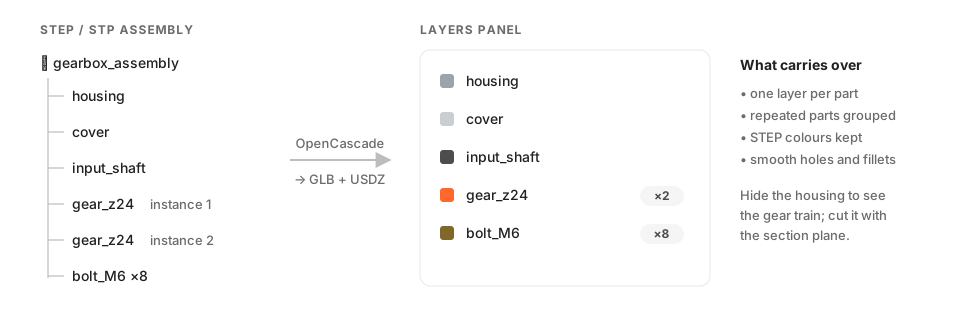 Every part becomes a layer; repeated parts, such as bolts, are grouped.
Look inside with sections
The section plane cuts through the assembly along any axis, and the 2D slice view shows the cut as a clean, colour-coded section — a live version of the section views in a technical drawing. The snapping measure on the slice reads wall thicknesses, bore diameters, and gaps directly. (More in our post on section planes and slice views.)
Clearances and dimensions, automatically
For layered models, the worker computes each part’s oriented dimensions and the minimum distance between neighbouring parts — a quick, visible clearance check that readers can explore themselves.
Where engineers use it
- Papers and theses: link an interactive model from the figure caption so reviewers can inspect the design from every angle.
- Teaching: mechanisms, machine elements, and assemblies are far easier to understand when students can take them apart layer by layer — in AR on their desk.
- Student projects and capstones: a QR code on the project poster lets the jury explore the actual design at the exhibition.
- Industry collaboration: share a design review link without sending native CAD files.
Keep intellectual property in mind
Confirm you have the rights to publish a design before uploading, especially for work done with industry partners. A simplified or envelope model is often enough for communication.
Upload a STEP assembly and share it as an interactive, layered model. See also AR for engineering.