How to Share Micro-CT Specimens as Interactive 3D Morphology
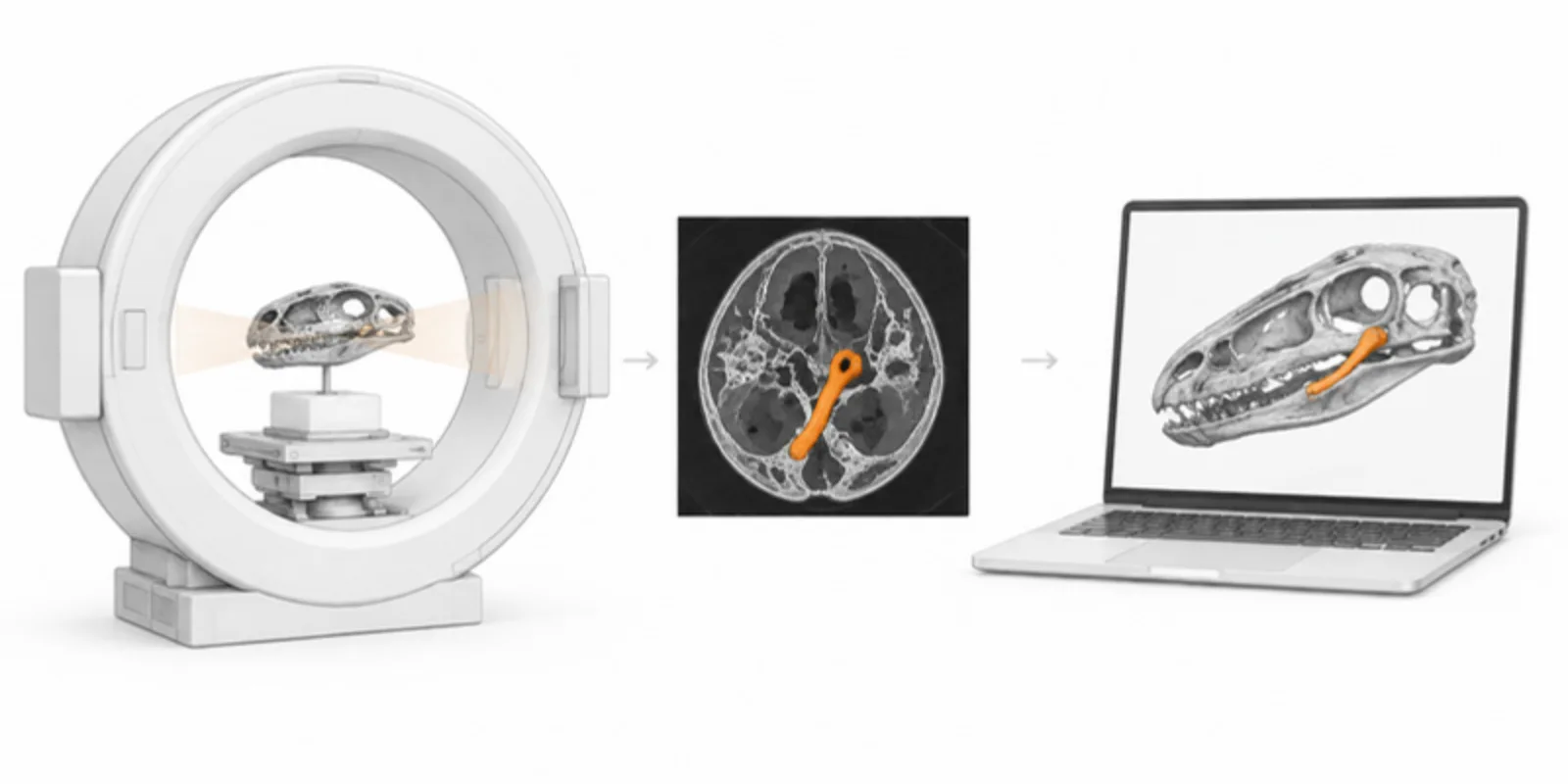
Micro-CT lets you look inside a specimen without cutting it, but the usual output is a stack of thousands of slices that nobody opens except you. Papers show three or four renders, and a reader who wants to check a suture, a canal or a tooth row cannot. Turned into named 3D layers, the same scan becomes something a reader can rotate, slice and measure on a phone. Here is the route from scanner to link.
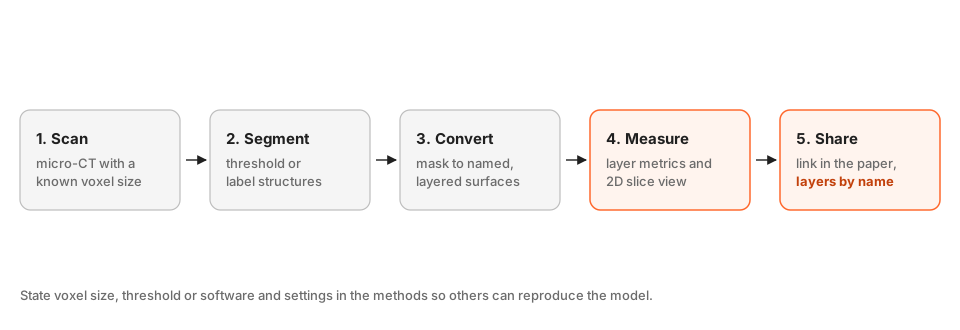
1. Scan and record the numbers that matter
Write down the voxel size (isotropic resolution in micrometres), scanner and settings, and the specimen identifier. These go into your methods and into the model description. Without the voxel size, nobody can scale or reproduce your measurements. Keep the reconstructed volume (a TIFF stack or similar) as your archive copy.
2. Segment the structures
Load the stack into 3D Slicer or similar (an image sequence import works for TIFF stacks), and separate what matters: bone, tooth, canal, matrix, soft tissue stain. Use a threshold for simple cases and the Segment Editor for the rest. Give each structure a clear name, because the names become the layer labels in the viewer. If you are new to this, the guide to exporting from 3D Slicer walks through the export.
3. Convert the segmentation to named layers
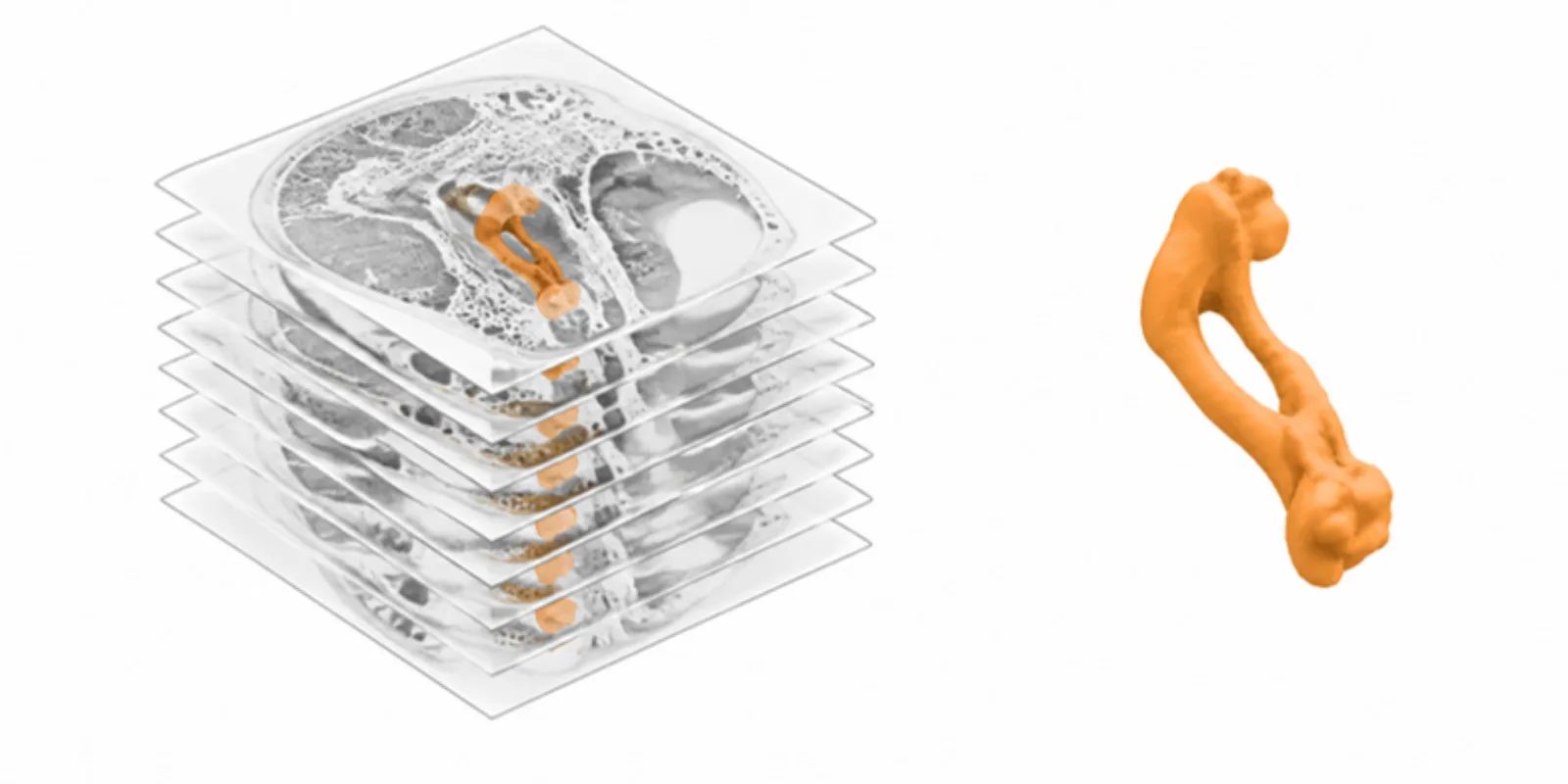
Export the segmentation as NIfTI or NRRD (including .seg.nrrd), or as a ZIP of masks, and upload it. Each labelled structure becomes its own named layer, so readers can switch the matrix off and look at the canal. The details of formats are in NIfTI segmentation to 3D model and segmentations to a 3D viewer. Large volumes are capped by the medical upload size limit, so crop to the region of interest, or downsample the stack when the detail you need allows it.
Uploads of this type are handled as medical inputs, so they ask for the same confirmations as other scans. For a fossil or an insect there is no patient data, but the confirmations are still required.
4. Measure and slice
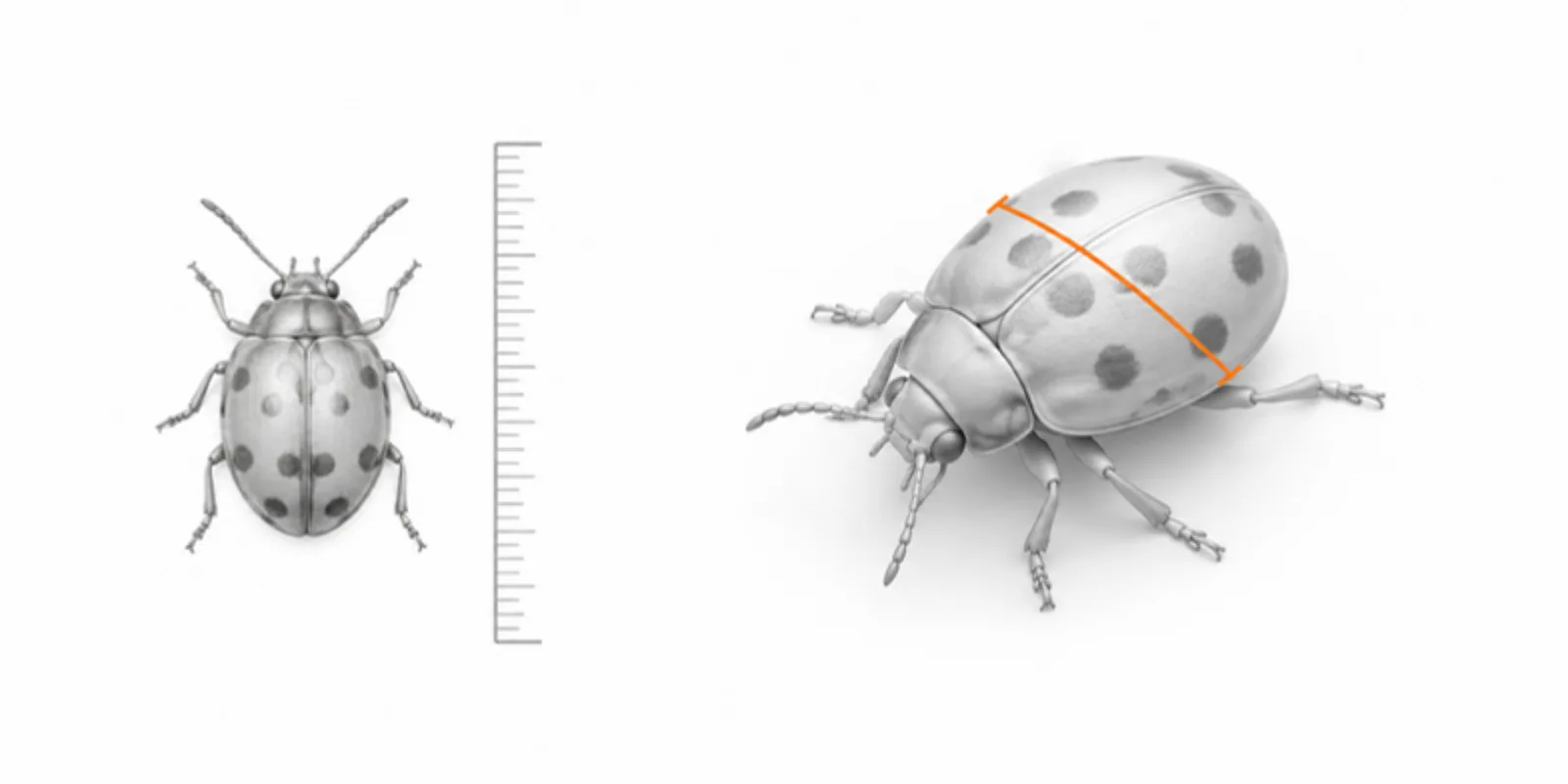
The viewer computes per-layer measurements such as volume and surface area (see measuring anatomy with layer metrics), and the section plane and 2D slice view let readers cut through the specimen and take a two-point measurement across a canal or a tooth (section plane and slice view). State in the paper that measurements come from the model, and give the voxel size so they can be checked.
5. Share with the paper
Put the link and QR code in the figure caption: “Interactive model with named layers: [link].” Save a few scenes (skull only, endocast, full specimen) so the paper can point to a particular view. For long-term availability, deposit the raw volume and segmentation in a repository such as MorphoSource or Zenodo, see cite and archive 3D models.
Frequently asked questions
Can I upload a TIFF stack directly?
Convert it first to a volume format the converter reads: NRRD or NIfTI for a segmentation, or a DICOM series as a ZIP. 3D Slicer or Fiji can import the stack and export the volume.
Does the model keep real-world scale?
Yes, when the voxel spacing is correct in the exported volume. Check the spacing in your segmentation tool before export, and state the voxel size in the paper.
My scan is very large. What should I do?
Crop to the region of interest and downsample if your analysis allows. A cropped, labelled segmentation is also a better viewer experience than a whole-volume scan, and it stays within the medical upload size limit.
Can readers measure on the model?
They can use the section plane and the 2D slice view’s two-point measure, and the layer metrics show volume and area per structure. For publication-grade numbers, report the values from your own analysis and cite the model as supporting evidence.
Create a free account and turn your next micro-CT scan into a model readers can rotate, slice and measure.
Related guides
-
NIfTI to 3D Model: Turn .nii.gz Segmentations into an Interactive Viewer
How to turn a NIfTI (.nii or .nii.gz) segmentation into a 3D model: label maps versus intensity images, TotalSegmentator and 3D Slicer...
-
3D Slicer: Export Models and Share Them as Interactive 3D
Export segmentations from 3D Slicer as STL, OBJ, or .seg.nrrd and share them as a layered 3D viewer link with AR and a QR code, step by step.
-
How to Anonymise a Medical 3D Model Before You Share It: An Ethics Checklist
A practical checklist for CT and MRI derived 3D models: remove identifiers, check for recognisable features, confirm consent and ethics...