NIfTI to 3D Model: Turn .nii.gz Segmentations into an Interactive Viewer
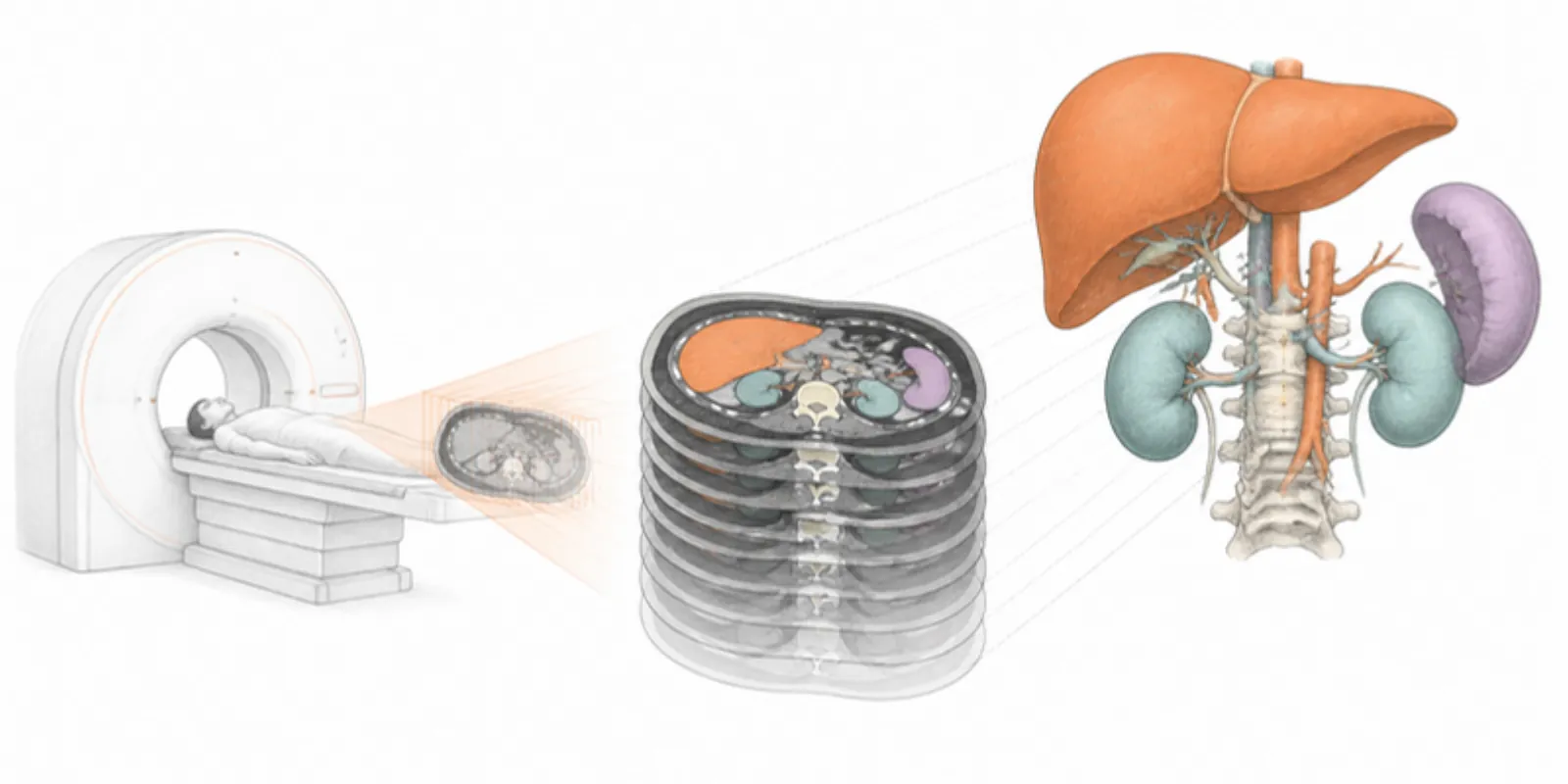
NIfTI (.nii or .nii.gz) is the everyday format of neuroimaging and of most
segmentation tools, from TotalSegmentator to nnU-Net. It’s also a volume: a 3D
grid of voxels, not a surface. To show it as a 3D model that a colleague can
rotate, or a student can place on their desk in AR, you need to turn the right
kind of NIfTI into meshes. Here’s how to tell which kind you have and how to get
from either one to a shareable model.
Two kinds of NIfTI
Every NIfTI stores numbers on a grid, but what the numbers mean differs:
- Intensity images. A T1-weighted MRI, a CT in Hounsfield units, a PET volume. Hundreds or thousands of grey values, often negative or fractional.
- Label maps and masks. The output of segmentation. Each voxel holds a small integer: 0 for background, 1 for liver, 2 for spleen, and so on. A binary mask holds only 0 and 1.
Only label maps describe surfaces you can mesh directly. An intensity image has to be segmented first.
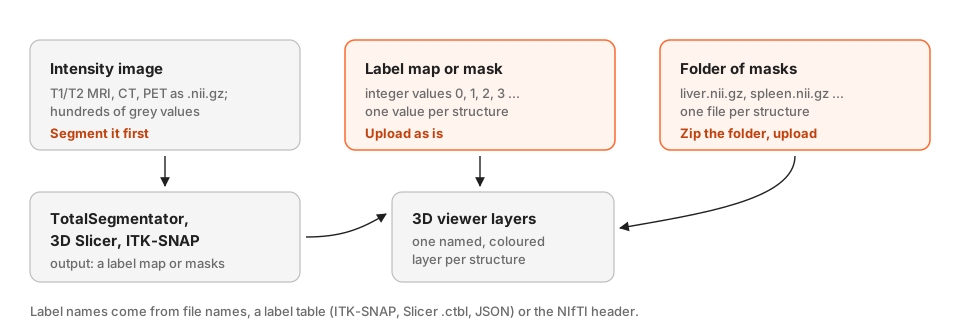
If you have an intensity image: segment it first
TotalSegmentator segments more than 100 structures in CT, and has an MR task, from the command line:
TotalSegmentator -i ct.nii.gz -o segmentations
Add --roi_subset liver spleen kidney_left kidney_right to keep only what you
need; it’s faster and gives a cleaner model. Two other common tools:
- 3D Slicer (Segment Editor) for manual or semi-automatic work, with thresholding, painting, and AI extensions. Our 3D Slicer guide covers exporting from it.
- ITK-SNAP for active-contour segmentation and fast manual correction.
Working from a CT in DICOM rather than NIfTI? You can skip this step: AcademicAR thresholds a DICOM series directly with bone, skin, and vessel presets. See DICOM to 3D model and the Hounsfield unit guide.
If you have a label map or a mask: upload it as is
Upload the .nii or .nii.gz file. Each label value becomes one layer with
its own colour, so readers can hide the ribs to see the kidneys, or isolate a
tumour. To give layers real names instead of Label 1, Label 2, put the
NIfTI in a ZIP together with a label table: an ITK-SNAP label description file,
a 3D Slicer colour table (.ctbl), or a JSON file such as
{"1": "liver", "2": "spleen"}. Names stored as JSON in the NIfTI header are
read too.
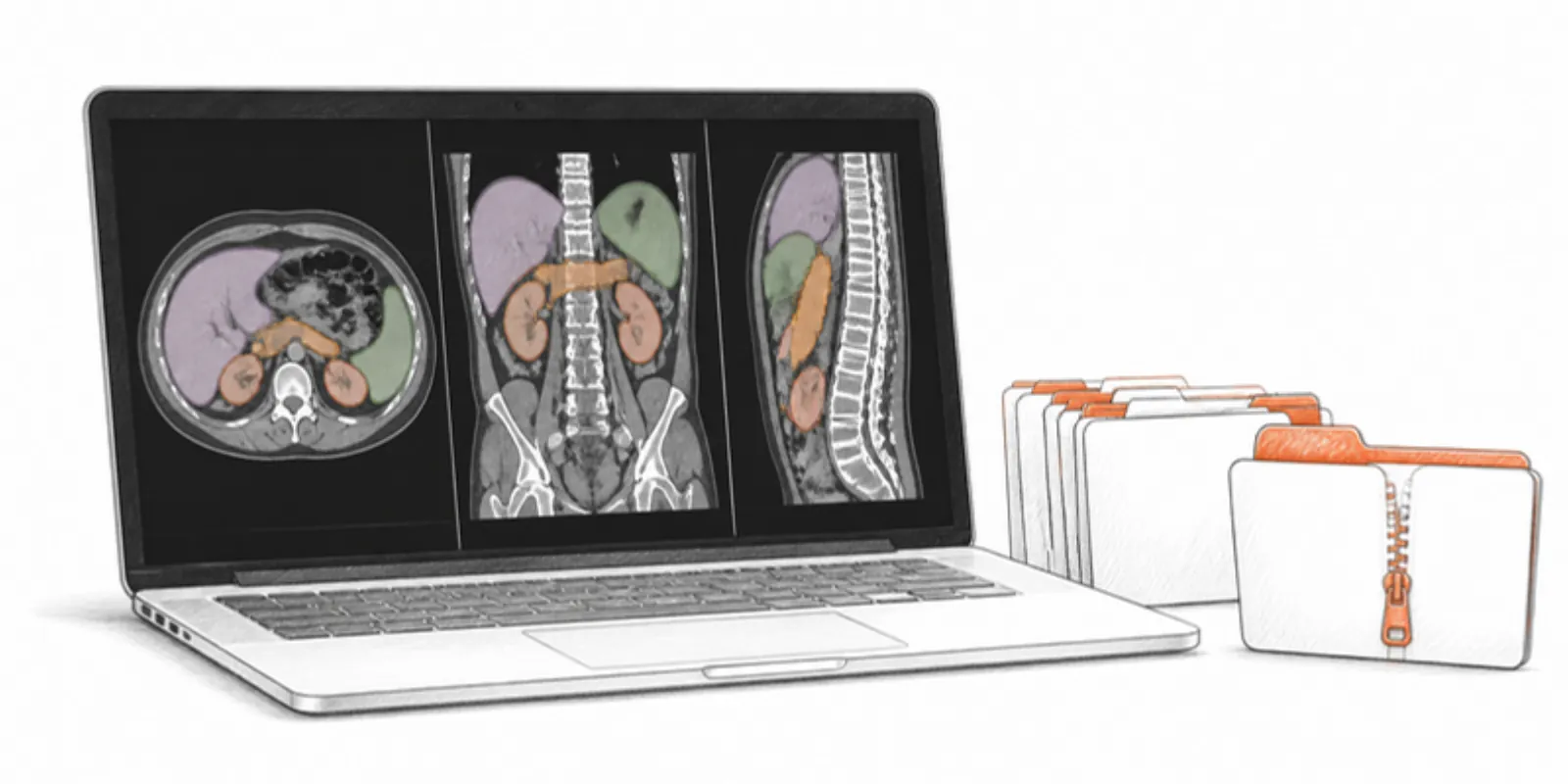
If you have a folder of masks: zip it
TotalSegmentator’s default output is one mask per structure: liver.nii.gz,
spleen.nii.gz, and so on. Zip the folder and upload the ZIP. Each file name
becomes a layer name, empty masks are skipped, and a CT that happens to sit in
the same folder is ignored rather than meshed. The masks must share the same
grid, which they do when they come from one segmentation run. (The single
multilabel file from --ml works as well, but its layers are numbered rather
than named.)
What you get
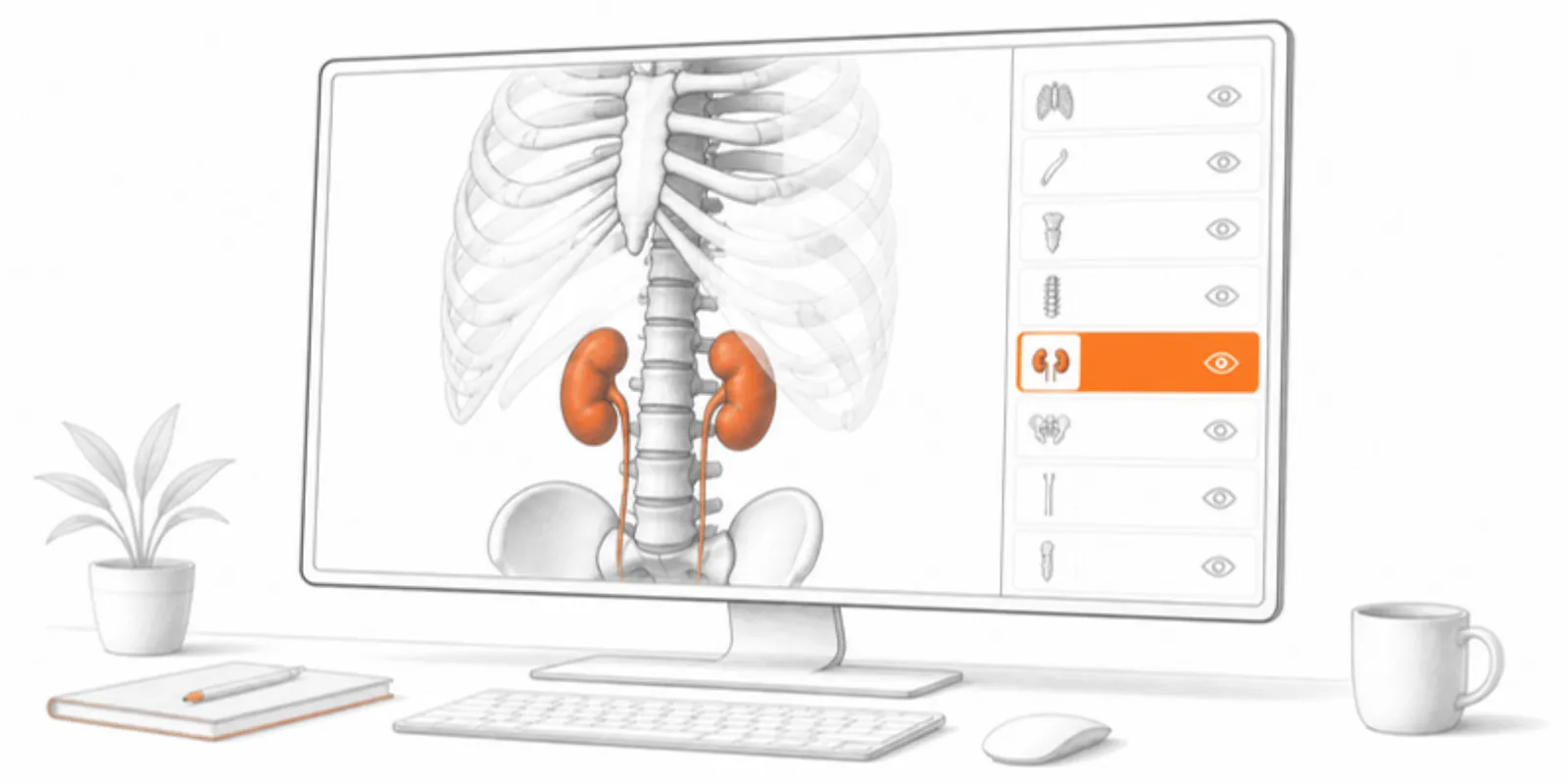
The converter turns every structure into a smoothed surface in the scan’s real coordinates and millimetres, and builds one GLB with a layer per structure, plus a USDZ for iPhone AR. Up to 64 structures are kept; with more, the largest ones are shown and the conversion notes say so. Then you can:
- Hide, isolate, and recolour structures in the Layers panel, and save views as scenes for teaching.
- Cut through the model with a section plane or read a 2D slice view.
- Measure each structure’s dimensions and the distance between two of them with layer measurements.
- Share a stable link and QR code that opens in the browser and in AR, with no app.
Need a printable file too? The DICOM to STL guide covers exporting meshes for 3D printing, and the segmentation viewer guide goes deeper into NRRD and DICOM-SEG.
Privacy
NIfTI headers carry far fewer identifiers than DICOM, but file names and the header’s description field can still hold a name or an ID, so check them before sharing. Medical uploads on AcademicAR need an extra confirmation that the data is de-identified, the uploaded scan is never archived, and it is deleted after conversion. Only the surface model is kept.
Frequently asked questions
Can I upload a raw MRI or CT NIfTI and get a 3D model?
Not directly. A raw intensity volume has no surfaces until it is segmented. Segment it with TotalSegmentator, 3D Slicer, or ITK-SNAP first, then upload the label map or masks. For CT in DICOM format, AcademicAR can threshold the series itself.
How do I get structure names instead of Label 1, Label 2?
Upload one mask file per structure in a ZIP (file names become layer names), or put a label table next to a multi-label NIfTI in the ZIP: an ITK-SNAP label file, a 3D Slicer .ctbl colour table, or a JSON map from label value to name.
Does TotalSegmentator output work?
Yes. Zip the output folder with one mask per structure and upload it; layers are named after the files. Use –roi_subset to limit the output to the structures you want to show.
Is my scan stored after conversion?
No. The uploaded NIfTI is deleted after conversion, whether it succeeds or fails, and is never archived. Only the resulting 3D surface model is kept.
Create a free account and turn your first segmentation into an interactive 3D model.
Related guides
-
3D Slicer: Export Models and Share Them as Interactive 3D
Export segmentations from 3D Slicer as STL, OBJ, or .seg.nrrd and share them as a layered 3D viewer link with AR and a QR code, step by step.
-
DICOM to STL: How to Turn a CT Scan into a 3D Printable Model
Convert DICOM CT or MRI to STL for 3D printing with free tools: anonymize, segment by Hounsfield threshold, clean the mesh, export, and...
-
Sharing Medical Segmentations in 3D: NIfTI, NRRD, and DICOM-SEG
Publish segmentations from 3D Slicer, ITK-SNAP, or TotalSegmentator as an interactive, layered 3D model — one colour-coded layer per...